Overview
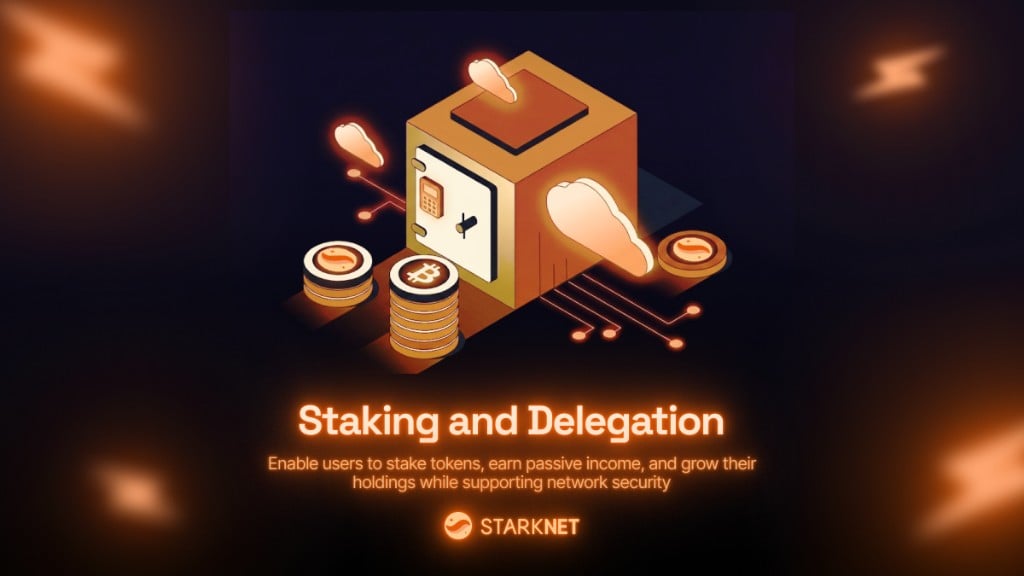
Starkzap supports Starknet’s native staking protocol. Validators run pools where delegators can stake tokens and earn rewards.
What users can do with staking:
- 💰 Earn passive income - Stake tokens (like STRK) and earn rewards over time, similar to a savings account with interest
- 🏦 Support network security - Stake tokens to help secure the Starknet network while earning rewards
- 📈 Grow their holdings - Rewards compound over time, allowing users to increase their token holdings without additional purchases
- ⏰ Flexible participation - Add more tokens anytime, claim rewards when ready, and exit when needed (with a cooldown period)
Real-world analogy: Think of staking like putting money in a high-yield savings account or certificate of deposit (CD). You lock up your tokens for a period, and in return, you earn interest (rewards). The longer you stake, the more you can potentially earn.
Staking contract is selected automatically from chain-aware presets. You only need staking.contract if you want to override the default.
Configuration
Staking works out of the box when using a supported chain preset:
import { StarkZap } from "starkzap";
const sdk = new StarkZap({
network: "mainnet",
});
Optional override:
import { StarkZap, fromAddress } from "starkzap";
const sdk = new StarkZap({
network: "mainnet",
staking: {
contract: fromAddress(
"0x00ca1702e64c81d9a07b86bd2c540188d92a2c73cf5cc0e508d949015e7e84a7"
),
},
});
Discovering Validators and Pools
Using Validator Presets
import { mainnetValidators, sepoliaValidators } from "starkzap";
// Use built-in validator presets
for (const validator of Object.values(mainnetValidators)) {
console.log(`${validator.name}: ${validator.stakerAddress}`);
}
// Also available: sepoliaValidators
Getting Stakeable Tokens
const tokens = await sdk.stakingTokens();
console.log(tokens.map((t) => t.symbol)); // ["STRK", ...]
Getting Pools for a Validator
const pools = await sdk.getStakerPools(validator.stakerAddress);
for (const pool of pools) {
console.log(`${pool.token.symbol}: ${pool.amount.toFormatted()} delegated`);
console.log(`Pool contract: ${pool.poolContract}`);
}
Entering a Pool
Stake tokens for the first time in a validator’s pool. The SDK handles the token approval automatically.
const tx = await wallet.enterPool(poolAddress, Amount.parse("100", STRK));
await tx.wait();
This will:
- Approve the staking contract to spend your tokens (if needed)
- Call
enter_delegation_pool on the staking contract
- Return a transaction you can track
Smart Stake (Recommended)
Use wallet.stake() when you don’t want to branch on membership manually:
const tx = await wallet.stake(poolAddress, Amount.parse("100", STRK));
await tx.wait();
wallet.stake() automatically:
- calls
enter_delegation_pool for first-time stakers
- calls
add_to_delegation_pool for existing members
Adding to an Existing Stake
If you’re already a pool member, add more tokens:
const tx = await wallet.addToPool(poolAddress, Amount.parse("50", STRK));
await tx.wait();
Claiming Rewards
Users earn rewards continuously while their tokens are staked. Rewards accumulate over time and can be claimed at any time:
const position = await wallet.getPoolPosition(poolAddress);
if (position && !position.rewards.isZero()) {
const tx = await wallet.claimPoolRewards(poolAddress);
await tx.wait();
console.log(`Claimed ${position.rewards.toFormatted()}`);
}
What users get: Rewards are paid in the same token they staked (e.g., if you stake STRK, you earn STRK rewards). Users can claim rewards and either:
- Withdraw them to their wallet
- Re-stake them to compound earnings (add them back to the pool)
Exiting a Pool (Two-Step Process)
Exiting a pool is a two-step process with an exit window:
Step 1: Declare Exit Intent
Tokens stop earning rewards immediately:
const tx = await wallet.exitPoolIntent(
poolAddress,
Amount.parse("50", STRK)
);
await tx.wait();
Step 2: Complete Withdrawal
Wait for the exit window, then complete the withdrawal:
const position = await wallet.getPoolPosition(poolAddress);
if (position?.unpoolTime && new Date() >= position.unpoolTime) {
const tx = await wallet.exitPool(poolAddress);
await tx.wait();
console.log("Tokens returned to wallet");
}
Querying Position
Get detailed information about your staking position to show users their earnings:
const position = await wallet.getPoolPosition(poolAddress);
if (position) {
console.log(`Staked: ${position.staked.toFormatted()}`); // Original amount staked
console.log(`Rewards: ${position.rewards.toFormatted()}`); // Earned rewards (can claim)
console.log(`Total: ${position.total.toFormatted()}`); // Staked + rewards combined
console.log(`Commission: ${position.commissionPercent}%`); // Validator's fee
console.log(`Unpooling: ${position.unpooling.toFormatted()}`); // Amount being withdrawn
console.log(`Unpool at: ${position.unpoolTime}`); // When withdrawal completes
}
What this shows users:
- How much they’ve staked (their original investment)
- How much they’ve earned in rewards (their passive income)
- Their total position value (staked + rewards)
- When they can withdraw if they’ve initiated an exit
Position Interface
interface PoolMember {
staked: Amount;
rewards: Amount;
total: Amount;
unpooling: Amount;
unpoolTime?: Date;
commissionPercent: number;
rewardAddress: Address;
}
Checking Membership
const isMember = await wallet.isPoolMember(poolAddress);
Getting Commission Rate
const commission = await wallet.getPoolCommission(poolAddress);
console.log(`Commission: ${commission}%`);
Using Transaction Builder
The transaction builder makes it easy to combine staking operations with other actions:
const tx = await wallet
.tx()
// Transfer some tokens
.transfer(STRK, [{ to: recipient, amount: Amount.parse("10", STRK) }])
// Stake in a pool (auto-detects enter vs. add)
.stake(poolAddress, Amount.parse("100", STRK))
// Claim rewards from another pool
.claimPoolRewards(anotherPoolAddress)
.send();
await tx.wait();
The .stake() method automatically:
- Calls
enter_delegation_pool for new members
- Calls
add_to_delegation_pool for existing members
Staking Flow Examples
Complete Staking Flow
Here’s a complete example showing how users can stake, earn, and manage their position:
// 1. Discover pools
const pools = await sdk.getStakerPools(validator.stakerAddress);
const strkPool = pools.find((p) => p.token.symbol === "STRK");
// 2. Enter pool - User stakes 100 STRK and starts earning immediately
await wallet.enterPool(strkPool.poolContract, Amount.parse("100", STRK));
// User's tokens are now earning rewards in the background
// 3. Check position - Show user their earnings
const position = await wallet.getPoolPosition(strkPool.poolContract);
console.log(`Staked: ${position.staked.toFormatted()}`); // "100 STRK"
console.log(`Rewards earned: ${position.rewards.toFormatted()}`); // "2.5 STRK" (example)
// 4. Add more later - User can increase their stake anytime
await wallet.addToPool(strkPool.poolContract, Amount.parse("50", STRK));
// Now staking 150 STRK total, earning more rewards
// 5. Claim rewards - User withdraws their earned rewards
await wallet.claimPoolRewards(strkPool.poolContract);
// Rewards are sent to user's wallet, can be spent or re-staked
// 6. Exit (two-step) - User wants to withdraw some tokens
await wallet.exitPoolIntent(strkPool.poolContract, Amount.parse("25", STRK));
// ... wait for exit window (cooldown period) ...
await wallet.exitPool(strkPool.poolContract);
// 25 STRK returned to user's wallet
Monitoring Rewards
Show users their earnings and help them claim rewards:
async function checkRewards(wallet, poolAddress) {
const position = await wallet.getPoolPosition(poolAddress);
if (!position) {
console.log("Not a member of this pool");
return;
}
if (position.rewards.isZero()) {
console.log("No rewards available yet");
return;
}
// Show user their earnings
console.log(`Available rewards: ${position.rewards.toFormatted()}`);
console.log(`Total position: ${position.total.toFormatted()}`); // Staked + rewards
// Auto-claim if above threshold (optional)
if (position.rewards.gt(Amount.parse("1", STRK))) {
await wallet.claimPoolRewards(poolAddress);
console.log("Rewards claimed! Tokens sent to your wallet.");
}
}
User experience: Users can see their earnings growing in real-time, claim rewards whenever they want, and watch their total position value increase over time.
User Benefits Summary
What users can do with staking in your app:
- 💰 Earn passive income - Stake tokens and earn rewards automatically, like interest on a savings account
- 📈 Grow their holdings - Rewards accumulate over time, increasing their total token balance
- 🔄 Flexible management - Add more tokens anytime, claim rewards when ready, exit when needed
- 🏦 Support the network - Help secure Starknet while earning rewards
- ⏱️ Set and forget - Once staked, tokens earn rewards in the background without daily management
Real-world use cases:
- Savings feature - Let users “save” their tokens and earn interest
- Investment tool - Enable users to grow their crypto holdings over time
- Rewards program - Users can stake tokens to earn additional rewards
- Long-term holding - Encourage users to hold tokens by offering staking rewards
Best Practices
- Always check pool membership before calling
addToPool
- Monitor rewards regularly and show users their earnings
- Help users understand exit windows before initiating exit
- Use transaction builder to batch staking with other operations
- Override staking contract only if needed (custom deployments, forks, or private environments)
- Display earnings clearly - Show users their staked amount, earned rewards, and total position value
Troubleshooting
”Staking contract address is wrong in the config.”
If you override staking.contract, ensure it matches the selected chain and pool.
If unsure, remove the override and use the built-in preset for your chain.
Pool Not Found
Ensure you’re using the correct pool contract address. Use getStakerPools() to discover available pools.
Next Steps